
Learning AI engineering in 2026 is one of the smartest career moves. Today, companies are hiring people who understand Artificial Intelligence, Machine Learning, LLMs, and AI agents. But many freshers don’t know where to start or what to learn. The good news is—you don’t need expensive courses. There are many free GitHub repositories for AI learning that provide structured content, real-world projects, and practical knowledge. These repositories are created by experts and companies like Microsoft, making them highly valuable. In this article, we will explore the Top 10 GitHub Repositories to Learn AI Engineering in 2026, explained in simple language so that even beginners can understand and start learning. What is AI Engineering AI engineering is the process of building applications using Artificial Intelligence. It includes working with machine learning models, APIs, automation systems, and AI tools. Key Skills: • Machine Learning• Deep Learning• Prompt Engineering• AI Agents• API Integration Why GitHub is Best for Learning AI GitHub is one of the best platforms for learning because it provides real-world code and projects. Benefits: • Free learning resources• Real-world projects• Updated content• Community support• Hands-on practice Top 10 GitHub Repositories to Learn AI Engineering in 2026 1. 100 Days of ML Code https://github.com/Avik-Jain/100-Days-Of-ML-Code This repository is one of the best starting points for beginners who want to learn Machine Learning from scratch. It provides a structured roadmap where you learn something new every day for 100 days. This helps you stay consistent and build strong fundamentals. If you are confused about where to start, this repo gives you clarity. It covers topics like data preprocessing, regression, classification, and basic neural networks. Many learners use this to build daily learning habits. What You Will Learn: • Basics of Machine Learning• Python libraries like NumPy, Pandas• Real ML concepts step-by-step• How to build simple ML models Best For: Absolute beginners 2. Awesome LLM Apps https://github.com/Shubhamsaboo/awesome-llm-apps This repository contains real-world applications built using Large Language Models (LLMs) like ChatGPT. Instead of theory, it focuses on practical projects that show how AI is used in real products. You will find examples like chatbots, document analyzers, and automation tools. This helps you understand how to convert AI knowledge into real applications. What You Will Learn: • How to build AI applications• LLM-based projects• Real-world use cases• App development ideas Best For: Intermediate learners 3. Awesome Artificial Intelligence https://github.com/owainlewis/awesome-artificial-intelligence This is a collection of the best AI resources available on the internet. It includes tools, courses, research papers, and frameworks. It acts like a directory for everything related to AI. If you want to explore multiple areas like ML, NLP, computer vision, this repo is very helpful. It saves time by providing all important resources in one place. What You Will Learn: • AI tools and frameworks• Learning resources• Different AI domains• Industry trends Best For: All levels Top 40 Claude AI Interview Questions & Answers 2026 4. Generative AI for Beginners (Microsoft) https://github.com/microsoft/generative-ai-for-beginners This is a well-structured course created by Microsoft to teach Generative AI. It includes lessons, examples, and hands-on exercises. The content is very easy to understand, making it perfect for freshers. It explains how tools like ChatGPT work and how to build your own AI-powered applications. What You Will Learn: • Basics of Generative AI• How LLMs work• Prompt engineering• Building AI apps Best For: Beginners 5. AI Agents for Beginners (Microsoft) https://github.com/microsoft/ai-agents-for-beginners This repository focuses on one of the most trending topics—AI agents. It teaches how AI systems can think, plan, and perform tasks automatically. You will learn how to build agents that can complete workflows like data analysis, automation, and task execution. What You Will Learn: • AI agent concepts• Task automation• Agent workflows• Real-world AI systems Best For: Future AI engineers 6. System Prompts and AI Models https://github.com/x1xhlol/system-prompts-and-models-of-ai-tools Prompt engineering is one of the most important skills in AI today. This repository provides real examples of prompts used in AI tools. You will understand how different prompts give different outputs and how to write effective instructions for AI models. What You Will Learn: • Prompt engineering techniques• System prompts• AI behavior control• Output optimization Best For: Prompt engineers 7. Awesome MCP Servers https://github.com/punkpeye/awesome-mcp-servers This repository introduces advanced concepts like Model Context Protocol (MCP), which is used to connect AI models with external tools and data. It is more technical but very useful if you want to build production-level AI systems. What You Will Learn: • AI system architecture• Server-based AI• API integrations• Advanced AI workflows Best For: Advanced learners 8. RAG Techniques https://github.com/NirDiamant/RAG_TECHNIQUES RAG (Retrieval-Augmented Generation) is a very important concept in modern AI. This repository teaches how AI can use external data to give better answers. It is widely used in companies to reduce AI errors and improve accuracy. What You Will Learn: • RAG architecture• Data retrieval methods• AI accuracy improvement• Real-world implementations Best For: Job-ready skills How People Are Building AI SaaS Startups From Home 9. Learn Agentic AI https://github.com/panaversity/learn-agentic-ai This repository focuses on Agentic AI, where AI systems can work independently and complete tasks. It teaches how to build systems that can think, plan, and execute actions automatically. What You Will Learn: • Agentic workflows• AI automation• Multi-step reasoning• Future AI trends Best For: Advanced AI learning 10. LLMs from Scratch https://github.com/rasbt/LLMs-from-scratch This repository helps you understand how Large Language Models are built from the ground up. It is more technical but gives deep knowledge. If you want to become a strong AI engineer, this repo is very valuable. What You Will Learn: • How LLMs work internally• Neural networks• Model training basics• Deep AI concepts Best For: Advanced learners How to Use These Repositories Effectively Just reading is not enough—you need a proper strategy. Tips: • Start with beginner repos• Practice daily• Build small projects• Take notes• Stay consistent Common Mistakes Beginners Make Avoid these mistakes to learn faster. Mistakes: • Learning everything at once• Not practicing• Skipping basics• Copy-pasting code• Giving up early Future of AI Engineering AI engineering is one of

Top 40 Claude AI Interview Questions & Answers 2026
Introduction If you are preparing for AI, GenAI, or LLM interviews in 2026, learning Claude AI is a big advantage. Many companies are now using Claude AI in software development, cybersecurity, DevOps, and enterprise tools. This guide covers: Why Claude AI Skills Are In Demand in 2026 Claude AI is widely used by companies to: Learning Claude AI can make you stand out in interviews and increase your chances of getting hired. Top 40 Claude AI Interview Questions & Answers 2026 Q1 · What is Claude AI? AnswerClaude is a large language model (LLM) built by Anthropic. It isdesigned to be helpful, harmless, and honest. Claude can performtasks such as writing, summarising, coding, reasoning, andanswering complex questions through a conversational interface. Real-World ExampleA developer at a SaaS company uses Claude via Anthropic’s API topower their customer support chatbot reducing human agentworkload by 60%. Where It’s UsedEnterprises like Salesforce, Notion, and Slack have integrated Claudeto enhance productivity workflows and user-facing AI features. Q2 · Who Built Claude & What Is Anthropic? The CompanyAnthropic is an AI safety company founded in 2021 by former OpenAIresearchers, including Dario and Daniela Amodei. Its core mission isbuilding AI systems that are safe and interpretable. Real ExampleAnthropic published the Constitutional AI paper a novel safetytechnique that underpins Claude’s design, distinguishing it from othercommercial LLMs. Q3 · What Are Claude’s Core Capabilities? Text GenerationDrafts emails, reports, blog posts, and documentation at scale. Code GenerationWrites, explains, and debugs code across Python, JavaScript, SQL,and more. Reasoning & AnalysisBreaks down complex topics, summarises long documents, andevaluates arguments. Agentic TasksPlans and executes multi-step workflows with tool access andmemory. Real-world use: Morgan Stanley uses LLMs including Claude for financialdocument analysis and client-facing insights generation. Q4 · Claude vs Traditional Chatbots — Key Differences Unlike rule-based chatbots, Claude dynamically reasons through inputsand adapts making it production-ready for complex enterprise use cases. Q5 · What Is Constitutional AI? AnswerConstitutional AI (CAI) is Anthropic’s safety methodology. Instead ofrelying solely on human feedback, Claude is trained using a written“constitution” a set of principles the model uses to self-critique andrevise its own outputs, reducing harmful responses. Real-World ExampleIf a user asks Claude to generate misleading content, the model self-evaluates against its constitutional principles and refuses withoutrequiring a human moderator to flag it first. Q6 · What Are Claude’s Model Variants? Claude HaikuFastest and most cost-efficient. Best for real-time applications,customer-facing chat, and high-volume API calls. Claude SonnetBalanced performance and speed. Ideal for coding assistants,document summarisation, and general-purpose tasks. Claude OpusMost powerful and intelligent. Used for complex reasoning, agenticpipelines, and research-grade tasks. Real example: A startup uses Haiku for their live chat widget and Opus inthe backend for contract analysis optimising both cost and quality. Q7 · What Is a Context Window in Claude DefinitionThe context window is the maximum amount of text (tokens) Claude canprocess in a single interaction including both your input and its output. Claude’s AdvantageClaude supports up to 200,000 tokens — roughly 150,000 words. Thisenables analysis of entire codebases, legal contracts, or lengthy researchpapers in one shot. Real ExampleA legal tech firm feeds 300-page contracts into Claude for clauseextraction and risk assessment without needing to chunk or split thedocument. Q8 · What Are Claude Artifacts? AnswerClaude Artifacts are self-contained outputs Claude can generateduring a conversation including code files, web apps, SVG diagrams,markdown documents, and more. They appear in a dedicated panelfor direct use or export. Real ExampleA product manager prompts Claude to build a working Reactdashboard component, Claude generates the full JSX code as anArtifact, which the dev team imports directly into their codebase. Q9 · How Does Claude Handle Sensitive Topics? Self-Critique via CAIClaude evaluates its own responses against Anthropic’sconstitutional principles before outputting an answer. Refusal with ExplanationRather than silently failing, Claude explains why it cannot fulfil arequest maintaining transparency and trust. Context-Sensitive JudgementClaude considers the intent and context of a request a securityresearcher asking about vulnerabilities is treated differently from amalicious prompt. Real use: Healthcare companies rely on Claude’s nuanced content policiesto handle patient-sensitive data questions without exposing liability. Q10 · What Is Prompt Engineering for Claude? AnswerPrompt engineering is the practice of crafting inputs to get the bestoutputs from Claude. It includes defining the role, giving context,specifying format, providing examples, and setting constraints toguide the model’s behaviour effectively. Real ExampleWeak prompt: “Write a summary.” Strong prompt: “You are afinancial analyst. Summarise the following earnings call in 3 bulletpoints, focusing on revenue growth and risks. Be concise andfactual.” Where It’s UsedPrompt engineers at AI-first companies spend significant timeiterating on system prompts for Claude-powered features to improveaccuracy, tone, and output consistency. Q11 · What Is Hallucination in LLMs like Claude? AnswerHallucination occurs when an LLM confidently generates informationthat is factually incorrect or entirely fabricated. It happens becausemodels predict statistically likely text rather than verifying againstground truth. Real ExampleClaude might cite a research paper with a plausible-sounding but non-existent title. A developer relying on this citation in a report wouldpublish incorrect references. MitigationRetrieval-Augmented Generation (RAG), grounding prompts withsource documents, and using Claude’s refusal to speculate all helpreduce hallucination risk. Q12 · What Is Claude’s API & How Is It Accessed? Sign Up & Get API KeyRegister at console.anthropic.com and generate your API key for programmaticaccess. Make API CallsUse REST API calls or Anthropic’s Python/TypeScript SDKs to send messages andreceive Claude’s responses. Set System PromptsDefine Claude’s behaviour, persona, and constraints via the system prompt field inthe API request. Handle ResponsesParse JSON responses, manage token usage, and integrate outputs into yourapplication pipeline. Real use: Fintech startups call Claude’s API to auto-generate transactionsummaries for their mobile banking apps. Top 5 Free No-Code AI Platforms to Build Websites in 2026 🟡 INTERMEDIATE LEVEL Intermediate Level Questions 13–28 · Agentic AI, Tool Calling & Advanced Prompting Q13 · What Is Agentic AI & How Does Claude Use It? Answer Agentic AI refers to AI systems that can plan, reason, andautonomously execute multi-step tasks often using tools, APIs, andmemory. Claude operates as an agent when it breaks a goal into sub-tasks and executes them sequentially or in parallel. Real Example
Top 10 AI Tools for Jobseekers in 2026
Top 10 AI Tools for Jobseekers in 2026 : Finding a job today is not easy, especially for freshers. Many candidates apply to hundreds of jobs but still don’t get responses. One of the biggest reasons is that most people don’t use the right tools to improve their job search. Today, companies use ATS (Applicant Tracking Systems), AI screening, and automated hiring processes. This means your resume, skills, and preparation must be strong. This is where AI tools for jobseekers can help. These tools use Artificial Intelligence to improve your resume, prepare you for interviews, and match you with the right jobs. Instead of applying randomly, you can now use AI-powered tools to increase your chances of getting selected. In this article, you will learn about the Top 10 AI tools for jobseekers that are easy to use and perfect for beginners. What Are AI Tools for Jobseekers AI tools for jobseekers are platforms that help candidates improve their job search using Artificial Intelligence. These tools can create resumes, match jobs, prepare for interviews, and improve your overall profile. Key Features: • Create ATS-friendly resumes• Suggest job matches based on skills• Provide interview practice• Improve resume content and keywords• Help in career guidance Benefits of Using AI Tools for Jobs Using AI tools can save time and increase your chances of getting selected. These tools are especially useful for freshers who don’t know where to start. Advantages: • Faster job applications• Better resume quality• Improved interview preparation• Personalized job recommendations• Higher chances of shortlisting Top 10 AI Tools for Jobseekers in 2026 1. Rezi AI Resume Builder Website: https://rezi.ai Rezi AI is one of the best tools to create ATS-friendly resumes. It helps you optimize your resume with the right keywords so it can pass automated screening systems. Features: • AI resume optimization• Keyword suggestions• ATS-friendly format• Easy to use• Free plan available 2. Kickresume Website: https://kickresume.com Kickresume helps you create resumes and cover letters using AI. It also provides examples and templates for better understanding. Features: • AI-generated resume content• Resume templates• Cover letter builder• Easy editing tools• Beginner-friendly 3. Resume.io Website: https://resume.io Resume.io allows you to create professional resumes quickly. It is simple and perfect for freshers. Features: • Pre-designed templates• Easy resume creation• Download in PDF• Fast and simple• Good for beginners Top 10 AI Resume Builder Tools in 2026 4. Interview Warmup (Google) Website: https://grow.google/certificates/interview-warmup Interview Warmup by Google helps you practice interview questions using AI. It gives feedback on your answers. Features: • Practice interview questions• AI feedback on answers• Improve communication skills• Free tool• Great for beginners 5. Teal Job Tracker Website: https://www.tealhq.com Teal helps you track job applications and manage your job search. It also provides resume improvements. Features: • Job tracking system• Resume builder• AI suggestions• Easy interface• Free tools available 6. Jobscan Website: https://www.jobscan.co Jobscan compares your resume with job descriptions and suggests improvements to increase ATS score. Features: • Resume vs job match analysis• ATS optimization• Keyword suggestions• Improve resume score• Easy to use 7. LinkedIn AI Tools Website: https://www.linkedin.com LinkedIn provides AI features to improve your profile and suggest jobs. It is one of the most important platforms for jobseekers. Features: • Job recommendations• Profile optimization• Networking opportunities• AI job suggestions• Recruiter visibility 8. Simplify Jobs Website: https://simplify.jobs Simplify Jobs helps you apply to jobs faster and track applications easily. Features: • One-click job applications• Job tracking• Resume autofill• Saves time• Easy to use Top 10 Free AI Video Generation Tools in 2026 9. Huntr Website: https://huntr.co Huntr is a job tracking tool that helps you manage applications and stay organized. Features: • Track job applications• Organize job search• Notes and reminders• Easy interface• Free version available 10. Careerflow AI Website: https://careerflow.ai Careerflow AI helps improve your LinkedIn profile and resume using AI suggestions. Features: • LinkedIn optimization• Resume improvement• Job tracking• AI suggestions• Beginner-friendly How AI Tools Help You Get Jobs Faster AI tools improve every part of your job search process. Instead of applying randomly, they help you apply smartly. How They Help: • Improve resume quality• Match you with relevant jobs• Help you prepare for interviews• Save time using automation• Increase selection chances Who Should Use These Tools These tools are useful for anyone looking for a job. Best For: • Freshers• Students• Job seekers• Career changers• Professionals Future of AI in Job Search AI is changing how hiring works. In the future, job search will become more automated and smarter. Future Trends: • AI-based hiring systems• Automated job matching• Smart career guidance• Personalized job search FAQs What are AI tools for jobseekers? AI tools help jobseekers improve resumes, prepare for interviews, and find jobs using Artificial Intelligence. Are these tools free? Many tools offer free plans or basic features. Can freshers use these tools? Yes, these tools are designed for beginners. Do AI tools guarantee jobs? No, but they increase your chances of getting shortlisted. Conclusion AI tools are making job search easier and smarter. Instead of struggling, you can use tools like Rezi, Jobscan, LinkedIn, and Interview Warmup to improve your chances. If you are serious about getting a job, start using these AI tools for jobseekers today.
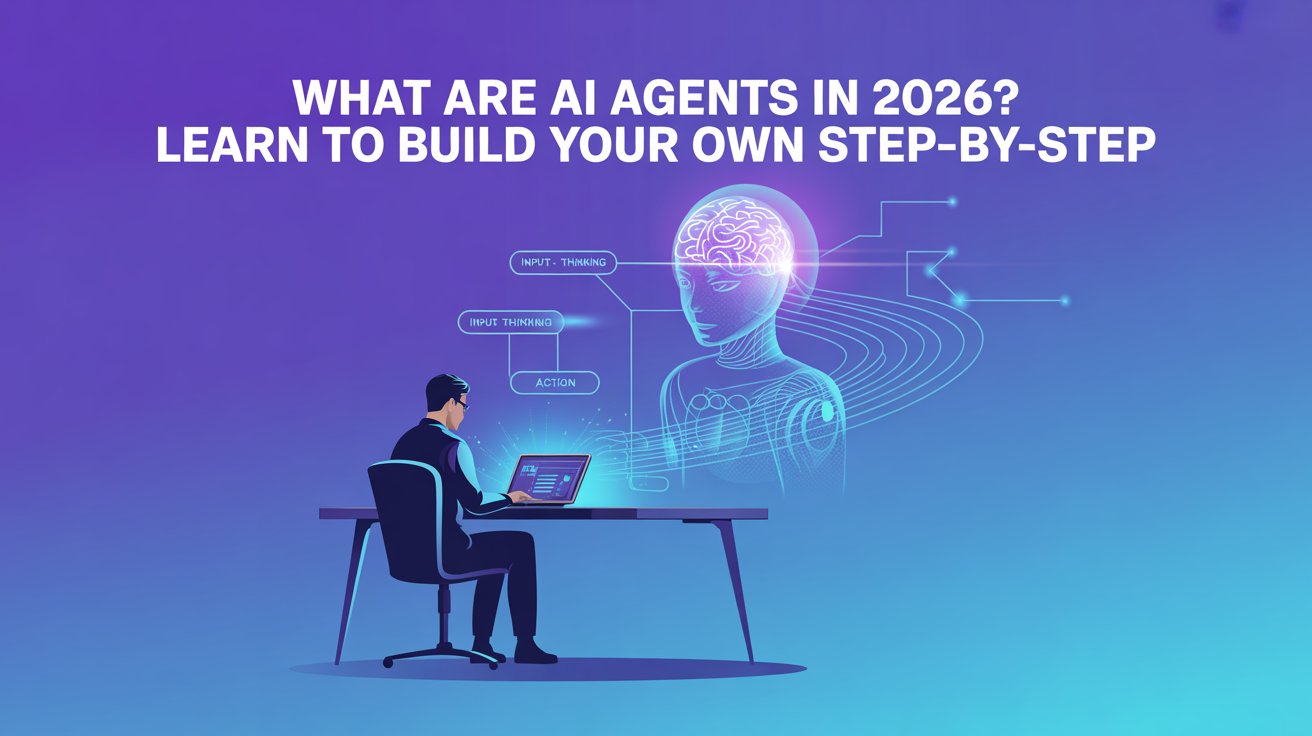
What Are AI Agents in 2026? Learn to Build Your Own Step-by-Step
In today’s world, Artificial Intelligence is growing very fast, and one of the most powerful concepts in AI is AI agents. Many people think AI is just chatbots like ChatGPT, but AI agents are much more advanced. They can think, take actions, and complete tasks automatically without constant human input. For example, an AI agent can read emails, reply to messages, analyze data, and even perform tasks like booking meetings or doing research. This is why companies are using AI agents to automate work and save time. The best part is—you don’t need to be an expert developer to start building AI agents. Today, there are no-code tools and simple frameworks that allow even beginners to create their own AI agents. In this article, you will understand what AI agents are, how they work, and how you can build one step by step. What Are AI Agents An AI agent is a software program that can perform tasks automatically using Artificial Intelligence. Unlike normal software, AI agents can make decisions, learn from data, and take actions. According to technical explanations, AI agents work by combining LLMs (Large Language Models), tools, memory, and reasoning systems to complete tasks. Key Features: • Can think and make decisions• Perform tasks automatically• Use data and tools to complete work• Learn and improve over time• Work without constant human input Why AI Agents Are Important AI agents are important because they help automate repetitive work. Instead of doing everything manually, businesses and individuals can use AI agents to save time and increase productivity. Benefits: • Automate daily tasks• Save time and effort• Improve productivity• Reduce human errors• Work 24/7 without breaks Types of AI Agents There are different types of AI agents based on how they work and what tasks they perform. Common Types: 1. Reactive Agents Reactive agents are the simplest type of AI agents. They work only based on the current input and do not store any past data or memory. These agents follow predefined rules and respond instantly without thinking about previous actions. For example, a basic chatbot that replies with fixed answers is a reactive agent. • Work based on current input• No memory• Simple decision-making 2. Goal-Based Agents Goal-based agents are more advanced than reactive agents because they work with a specific objective. These agents analyze different options and choose the best action to achieve a goal. They can plan steps and make decisions based on the situation. For example, an AI system that finds the best route for delivery is a goal-based agent. • Work to achieve specific goals• Plan actions step-by-step 3. Learning Agents Learning agents improve themselves over time by learning from past experiences and data. These agents analyze results and make better decisions in the future. They are commonly used in recommendation systems like Netflix or YouTube, where suggestions improve based on user behavior. • Learn from past data• Improve performance over time 4. Autonomous Agents Autonomous agents are the most advanced type of AI agents. They can work independently without human help and complete tasks on their own. These agents can make decisions, take actions, and even handle complex workflows. Tools like AutoGPT are examples of autonomous agents that can perform multiple tasks automatically. • Work independently• Complete tasks without human help Example: Tools like AutoGPT can break tasks into smaller steps and complete them automatically. Top 10 Free AI Video Generation Tools in 2026 Key Components of AI Agents AI agents are built using a combination of different components. These components help the agent think and act. Main Components: 1. Brain (LLM) • The main AI model (like GPT)• Understands and processes information 2. Memory • Stores past data and context• Helps in better decision-making 3. Tools • APIs, databases, or external systems• Help perform real-world tasks 4. Planning System • Breaks tasks into steps• Helps complete complex tasks AI agents often follow a “Think → Act → Observe” loop to complete tasks efficiently. How AI Agents Work AI agents follow a simple working process where they understand input, make decisions, and take action. Steps: • Receive input (task or prompt)• Analyze using AI model• Decide what action to take• Use tools to perform the task• Learn from results For example, an email AI agent can read an email, understand it, and send a reply automatically. Tools to Build AI Agents Today, there are many tools available that help beginners create AI agents easily. 1. LangChain Website: https://www.langchain.com LangChain is one of the most popular frameworks for building AI agents. It allows developers to connect AI models with tools and data. Features: • Build AI-powered applications• Connect APIs and databases• Supports multiple AI models• Flexible and powerful 2. AutoGPT Website: https://agpt.co AutoGPT is an open-source AI agent that works autonomously. It can break tasks into steps and complete them without user input. Features: • Fully autonomous AI agent• Breaks tasks into subtasks• Uses tools like web browsing• Open-source platform 3. CrewAI Website: https://www.crewai.com CrewAI allows users to create multiple AI agents that work together as a team. Features: • Multi-agent collaboration• Task automation• Easy setup• Good for workflows 4. Lindy AI Website: https://www.lindy.ai Lindy AI is a no-code platform that helps users create AI agents easily without coding. (Lindy) Features: • No coding required• Ready-made templates• Easy integrations• Beginner-friendly 5. GPTBots Website: https://www.gptbots.ai GPTBots allows users to create AI agents with simple steps and prompts. Features: • Easy agent creation• Prompt-based setup• Fast deployment• Beginner-friendly Top 5 Free No-Code AI Platforms to Build Websites in 2026 Step-by-Step Guide to Build AI Agent Building an AI agent is easier than you think. You can follow these simple steps. Step 1: Decide the Purpose of Your AI Agent First, you need to clearly understand what your AI agent will do. Think about whether your agent will help a user (like a personal assistant) or work on its own without human input. Also decide the area or domain, like job scraping, content creation, or automation. For
Top 10 AI Resume Builder Tools in 2026
Creating a resume used to be a difficult task for many freshers. You had to think about format, design, keywords, and content—all by yourself. Many candidates created resumes that looked good but were rejected because they were not optimized for ATS (Applicant Tracking Systems). But now, things have changed with AI resume builder tools. These tools use Artificial Intelligence to create professional resumes, improve content, and optimize keywords automatically. You just need to enter your details, and the AI will generate a resume that is ready for job applications. Because of this, freshers can now create ATS-friendly resumes, professional CVs, and job-ready profiles without confusion. In this article, you will learn about the Top 10 AI resume builder tools that are free and easy to use. What Are AI Resume Builder Tools AI resume builder tools are platforms that help you create resumes using Artificial Intelligence. These tools guide you step-by-step and automatically generate content based on your skills, education, and experience. Key Features: • Create ATS-friendly resumes• Suggest keywords for job roles• Improve resume content automatically• Provide professional templates• Help beginners build resumes easily Benefits of Using AI Resume Builders AI resume tools are very useful, especially for freshers who don’t know how to create a resume properly. These tools simplify the entire process. Advantages: • No resume writing experience needed• Generate resumes in minutes• Improve chances of getting shortlisted• Provide professional formatting• Save time and effort Top 10 AI Resume Builder Tools in 2026 1. Zety Resume Builder Website: https://zety.com Zety is one of the most popular AI resume builder tools. It provides professional templates and helps users create resumes step by step. It also gives content suggestions based on job roles. Features: • Professional resume templates• Content suggestions using AI• Easy to use interface• Resume tips and guidance• Good for beginners 2. Resume.io Website: https://resume.io Resume.io is a simple and fast resume builder that helps users create resumes quickly. It provides ready-made templates and content suggestions. Features: • Easy resume creation process• Pre-designed templates• Download in PDF format• Beginner-friendly• Fast resume generation Top 10 Free AI Video Generation Tools in 2026 3. Novoresume Website: https://novoresume.com Novoresume is known for its modern resume templates and smart suggestions. It helps users create resumes that are both professional and ATS-friendly. Features: • Modern resume templates• ATS-friendly format• Smart content suggestions• Easy editing tools• Ideal for freshers 4. Rezi AI Resume Builder Website: https://rezi.ai Rezi AI is a powerful AI resume builder that focuses on ATS optimization. It helps users create resumes that pass automated screening systems. Features: • ATS optimization• Keyword suggestions• AI-generated resume content• Easy customization• Free plan available 5. Kickresume Website: https://kickresume.com Kickresume uses AI to generate resume content and improve existing resumes. It also provides examples and templates. Features: • AI content generation• Resume examples• Professional templates• Easy editing• Good for students 6. Enhancv Website: https://enhancv.com Enhancv focuses on creating visually attractive resumes. It helps users highlight their strengths and achievements. Features: • Unique resume designs• Easy customization• Content suggestions• Visual resume formats• Good for creative roles 7. Canva Resume Builder Website: https://www.canva.com Canva Resume Builder allows users to create resumes with beautiful designs. It is easy to use and perfect for beginners. Features: • Drag-and-drop editor• Free templates• Easy customization• Visual designs• Beginner-friendly Top 10 Free AI Image Generation Tools in 2026 8. Resume Genius Website: https://resumegenius.com Resume Genius helps users create resumes step by step. It provides suggestions and examples to improve resume quality. Features: • Step-by-step resume builder• Content suggestions• Professional templates• Easy download• Beginner-friendly 9. Teal Resume Builder Website: https://www.tealhq.com Teal Resume Builder is a modern tool that helps users track job applications and build resumes. It also provides AI suggestions. Features: • AI resume suggestions• Job tracking feature• Resume customization• Easy interface• Free tools available 10. FlowCV Website: https://flowcv.com FlowCV is a simple and free resume builder that helps users create clean and professional resumes quickly. Features: • Free resume builder• Clean templates• Easy editing• Fast resume creation• No experience needed How AI Resume Builders Work AI resume builders use algorithms to understand your input and generate a professional resume. They also suggest improvements to make your resume better. Steps: • Enter your details and information• AI analyzes your skills and experience• Generates resume content automatically• Suggests keywords and improvements• Final resume is ready to download Who Should Use AI Resume Tools AI resume tools are useful for anyone who wants to create a professional resume quickly. Best For: • Freshers with no experience• Students applying for internships• Job seekers looking for better resumes• Career changers updating resumes• Professionals improving their CV Future of AI Resume Building AI resume tools are improving rapidly and will become even smarter in the future. They will help users create better resumes with less effort. Future Trends: • Fully automated resume creation• Better ATS optimization• AI career suggestions• Personalized resume content FAQs What is an AI resume builder? An AI resume builder is a tool that creates resumes automatically using Artificial Intelligence. Are AI resume builders free? Yes, many tools offer free plans or basic features. Can freshers use AI resume tools? Yes, these tools are perfect for freshers with no experience. Do AI resumes pass ATS systems? Yes, most AI resume builders create ATS-friendly resumes. Review AI resume builder tools have made resume creation easy and fast. You no longer need to worry about format, keywords, or design. Tools like Zety, Rezi AI, Canva, and Resume.io help you create professional resumes in minutes. If you are a fresher looking for a job, using these AI resume builder tools can increase your chances of getting shortlisted.

Top 10 Free AI Video Generation Tools in 2026
Creating videos earlier was not easy. It required video editing skills, expensive software, and a lot of time. Many people had to learn tools like Premiere Pro or hire professional editors to create videos. This made video creation difficult for beginners. But now, things have changed with AI video generation tools. These tools use Artificial Intelligence to create videos from simple text, images, or scripts. You just need to describe your idea, and the AI will generate a video automatically. Because of this, even freshers, students, and content creators can now create YouTube videos, Instagram reels, and marketing videos without editing skills. In this article, we will explore the Top 10 free AI video generation tools that are easy to use and perfect for beginners. What Are AI Video Generation Tools AI video generation tools are platforms that create videos automatically using Artificial Intelligence. These tools understand your input (text or images) and convert it into a video. This process is known as text-to-video generation. Key Features: • Convert text into videos automatically• Create animations and short videos• No need for editing skills• Save time with AI automation• Easy to use for beginners Benefits of Using AI Video Generators AI video tools are becoming popular because they simplify video creation. Instead of spending hours editing videos, users can generate them quickly. Advantages: • No technical skills required• Create videos in minutes• Save time and effort• Useful for YouTube and social media• Generate professional-quality videos Top 10 Free AI Video Generation Tools 1. Pika Labs AI Website: https://pika.art Pika Labs is one of the most trending AI video tools in 2026. It allows users to create short videos using simple text prompts. The platform is designed for beginners, so you don’t need any editing skills. Features: • Convert text into animated videos• Beginner-friendly interface• Fast video generation• Free credits available• Best for short social media videos Top 10 Free AI Image Generation Tools in 2026 2. Runway ML Website: https://runwayml.com Runway ML is a powerful AI video generation tool used by professionals and creators. It provides advanced features like text-to-video and video editing using AI. Features: • Generate high-quality AI videos• Supports text-to-video and image-to-video• Advanced editing tools• Free plan available• Best for professional creators 3. Luma AI (Dream Machine) Website: https://lumalabs.ai Luma AI is known for generating realistic videos using AI. It is fast and produces high-quality output, making it popular among creators. Features: • Create realistic AI videos• Fast processing speed• High-quality output• Easy to use• Free access available 4. Kling AI Website: https://klingai.com Kling AI is one of the best free AI video tools that provides daily credits. Users can create videos regularly without paying. Features: • Free daily credits• Generate videos regularly• Good video quality• Easy interface• Ideal for beginners 5. Pictory AI Website: https://pictory.ai Pictory AI helps users convert blog posts or scripts into videos automatically. It is widely used for YouTube content creation. Features: • Convert text to video automatically• Add captions and voiceover• Beginner-friendly• Ideal for YouTube videos• Free trial available 6. Synthesia AI Website: https://www.synthesia.io Synthesia allows users to create videos with AI avatars. It is mainly used for training, presentations, and business content. Features: • Create AI avatar videos• Supports multiple languages• Professional output• No camera needed• Free demo available Top 5 Free No-Code AI Platforms to Build Websites in 2026 7. HeyGen AI Website: https://www.heygen.com HeyGen is another AI video tool that creates videos with avatars and voiceovers. It is useful for marketing and business videos. Features: • AI spokesperson videos• Voice generation• Easy to use• Best for marketing videos• Free plan available 8. InVideo AI Website: https://invideo.io InVideo AI helps users create videos from text prompts. It also provides templates and editing tools. Features: • Convert text into video• Ready-made templates• Easy editing tools• Ideal for YouTube creators• Free version available 9. DeepBrain AI Website: https://www.deepbrain.io DeepBrain AI is a platform that generates videos using AI avatars. It is commonly used for educational and business videos. Features: • AI presenter videos• Multiple language support• Easy to use• Professional quality• Free trial available 10. Haiper AI Website: https://haiper.ai Haiper AI is a new AI video generation tool that allows users to create videos from text and images. Features: • Generate videos from prompts• Fast video creation• Simple interface• Free access available• Good for beginners How AI Video Generators Work AI video tools use machine learning models trained on large datasets. These models understand text and convert it into video scenes. Steps: • Enter a text prompt or script• AI understands the input• AI creates video frames• Final video is generated automatically Who Should Use AI Video Tools AI video tools are useful for anyone who wants to create videos quickly. Best For: • YouTubers• Instagram creators• Students• Marketers• Startup founders Future of AI Video Generation AI video generation is improving rapidly and will become more powerful in the future. Future Trends: • More realistic videos• AI-generated movies• Automatic editing tools• Better quality videos FAQs What is an AI video generator? An AI video generator is a tool that creates videos automatically using Artificial Intelligence. Are AI video tools free? Yes, many tools provide free plans or credits. Can beginners use AI video tools? Yes, they are beginner-friendly and require no editing skills. How long does it take to create a video? Most tools generate videos within a few minutes. Conclusion AI video generation tools are making video creation easier than ever. You don’t need editing skills or expensive software anymore. Tools like Pika Labs, Runway ML, Kling AI, and InVideo AI allow anyone to create videos quickly. If you want to create YouTube videos, reels, or marketing content, these tools are the best starting point.

Top 10 Free AI Image Generation Tools in 2026
Earlier, creating images for blogs, social media, or marketing required design skills and expensive software. People had to learn tools like Photoshop or hire graphic designers to create visuals. But now things have changed because of AI image generation tools. These tools use Artificial Intelligence to create images from simple text prompts. his means you only need to describe the image you want, and the AI will generate it automatically within seconds. Because of this technology, even beginners and freshers can create professional images, illustrations, blog thumbnails, and social media graphics easily. In this article, we will explore the Top 10 free AI image generation tools in 2026 that anyone can use without design experience. What Are AI Image Generation Tools AI image generation tools are platforms that create images automatically using Artificial Intelligence. You simply type a short description of the image you want, and the tool generates it for you. This process is called text-to-image generation. • Convert text prompts into images• Create digital art, illustrations, and graphics• Generate social media visuals and blog images• Produce images in just a few seconds• Help beginners create designs without graphic skills Benefits of Using AI Image Generators AI image generators are becoming very popular because they make image creation simple and fast. Instead of spending hours designing images, you can generate them instantly using a prompt. • No design skills required• Create images within seconds• Generate unique visuals quickly• Useful for blogs, YouTube thumbnails, and social media• Saves time and design costs Top 10 Free AI Image Generation Tools Many AI tools are available today, but some platforms are easier to use and offer free access for beginners. Below are the best free AI image generators you can start using today. 1. Leonardo AI Website: https://leonardo.ai Leonardo AI is one of the most powerful AI image generation platforms. It allows users to create high-quality images using simple prompts. Many designers and creators use this tool to generate professional artwork. Points: • Generate high-quality AI images• Good for digital art and creative images• Provides free daily credits• Easy prompt-based generation• Useful for designers and creators 2. Playground AI Website: https://playgroundai.com Playground AI is another popular AI image generator that allows users to create beautiful images quickly. The interface is simple, which makes it easy for beginners to start. • Generate many images per day for free• Supports multiple AI models• Easy editing tools available• Great for blog and social media visuals• Beginner-friendly interface 3. Microsoft Designer (Bing Image Creator) Website: https://designer.microsoft.com Microsoft Designer provides an AI image generator called Bing Image Creator. This tool allows users to generate creative images by simply typing a prompt. • Powered by advanced AI models• Create high-quality images quickly• Free to use with Microsoft account• Good for social media graphics• Very easy to use Top 5 Free No-Code AI Platforms to Build Websites in 2026 4. Canva AI Image Generator Website: https://www.canva.com Canva AI Image Generator allows users to generate images directly inside the Canva design platform. Since Canva is already popular for creating graphics, this feature makes design even easier. • Integrated with Canva design tools• Create images using text prompts• Perfect for blog thumbnails and posts• Easy drag-and-drop editor• Ideal for content creators 5. Adobe Firefly Website: https://firefly.adobe.com Adobe Firefly is an AI image generator created by Adobe. It focuses on generating creative visuals and artwork for marketing and design projects. • Generate creative and professional images• Works with Adobe design tools• Good for branding and marketing visuals• Advanced AI image generation• Free version available 6. Craiyon AI Website: https://www.craiyon.com Craiyon is a simple AI image generator that allows users to create images from text prompts. It is one of the easiest AI tools for beginners. • Completely free AI tool• Simple and easy interface• Generate images quickly• Good for experimenting with AI images• Beginner-friendly platform 7. Dream by Wombo Website: https://dream.ai Dream by Wombo is an AI image generator that focuses on artistic images and creative artwork. It allows users to choose different art styles while generating images. Points: • Create AI art and digital paintings• Multiple art styles available• Mobile-friendly platform• Easy prompt-based generation• Great for creative artwork 8. NightCafe AI Website: https://nightcafe.studio NightCafe is a popular AI art generator used by creators around the world. It allows users to generate artistic images using different AI models. Points: • Generate beautiful AI artwork• Multiple art styles and models• Community for sharing artwork• Free credits available• Great for creative projects 10 Free Prompt Engineering Courses for Beginners to Learn AI in 2026 9. DeepAI Image Generator Website: https://deepai.org DeepAI provides several AI tools including a simple AI image generator. Users can create images by entering a text description. • Simple text-to-image generation• Fast AI image creation• Free tool available• Useful for basic image generation• Easy to use 10. Mage Space Website: https://www.mage.space Mage Space is a powerful AI image generator that uses advanced diffusion models. It allows users to generate high-quality images quickly. • Generate high-quality AI images• Supports multiple AI models• Fast image generation• Simple user interface• Free image creation How AI Image Generators Work AI image generators work using machine learning models that are trained on millions of images. When a user types a prompt, the AI understands the description and creates an image that matches it. • User enters a text prompt• AI understands the description• AI generates visual patterns• Final image is created automatically Who Should Use AI Image Tools AI image generators are useful for many people who need visuals but do not have design skills. These tools help users create images quickly and easily. Examples: • Bloggers creating blog thumbnails• Social media creators making posts• Students preparing presentations• Marketers designing marketing visuals• Startup founders creating product images Future of AI Image Generation AI technology is improving very quickly, and image generation tools will become even more powerful in the future. These tools will be able to generate more realistic images and creative visuals. Future possibilities:

Top 5 Free No-Code AI Platforms to Build Websites in 2026
Creating a website earlier required coding knowledge, technical skills, and a lot of time. Developers had to manage hosting, write code, and design the entire website manually. But today, thanks to No-Code AI Platforms to Build Websites in 2026, anyone can create a professional website in minutes. These platforms use Artificial Intelligence to generate website layouts, content, and design automatically. Even beginners can now build websites for portfolios, startups, blogs, and businesses without writing a single line of code. Table of Contents Why No-Code AI Website Builders Are Growing Fast The demand for websites is increasing rapidly as businesses and creators want to establish a strong online presence. However, traditional web development requires programming knowledge, which makes it difficult for beginners. This is why AI website builders are becoming extremely popular, allowing users to create websites quickly without coding. Points: • Websites can be built without programming knowledge• AI automatically generates design, layout, and sections• Websites can be launched within minutes• Beginners can create portfolio and business websites easily Benefits of Using AI Website Builders AI website builders are designed to simplify the website creation process. Instead of designing everything manually, these tools use Artificial Intelligence to generate professional websites automatically. This makes website creation faster, easier, and accessible to everyone. Points: • No coding skills required• Fast website generation using AI• Modern and responsive templates• Easy drag-and-drop editing tools• Beginner-friendly interface Top 5 Free No-Code AI Platforms to Build Websites in 2026 Many AI website builders are available today, but some platforms provide better features and free plans for beginners. Below are the top 5 free AI website builders that help users create websites without coding. 1. Durable AI Website Builder Website: https://durable.co Durable AI is one of the fastest AI website builders that can generate a complete website within seconds. It uses Artificial Intelligence to create layouts, sections, and website structure automatically based on a few inputs. • AI generates a website within 30 seconds• Creates website layout and content automatically• Includes business tools and CRM features• Beginner-friendly interface• Ideal for freelancers and startups 2. Framer AI Website Builder Website: https://www.framer.com Framer AI allows users to build modern websites simply by writing a prompt. The AI generates a complete website layout based on your idea, making the website creation process extremely simple. • AI generates websites using text prompts• Creates modern and visually attractive designs• Supports responsive design and animations• Ideal for startup landing pages• Easy customization tools 3. Wix AI Website Builder Website: https://www.wix.com Wix AI Website Builder is one of the most popular website building platforms in the world. It provides an AI assistant that automatically creates websites based on a few questions about your business. • AI creates full website designs automatically• Simple drag-and-drop editor• Provides free hosting and templates• Built-in SEO tools• Great for students and bloggers 10 Free Prompt Engineering Courses for Beginners to Learn AI in 2026 4. 10Web AI Website Builder Website: https://10web.io 10Web AI is a powerful platform that helps users generate websites using Artificial Intelligence. It is especially useful for developers and agencies who want to build websites faster. • AI can recreate existing websites• Works with WordPress websites• Provides fast hosting infrastructure• Automatically generates website layouts• Ideal for developers and agencies 5. Typedream AI Website Builder Website: https://typedream.com Typedream is a simple No-Code website builder designed for creators and startups. The platform focuses on minimal design and easy website creation. • Simple AI website generation• Clean modern templates• Easy editing interface• Fast website publishing• Perfect for portfolio and startup websites How to Build a Website Using AI Platforms Creating a website using AI tools is extremely simple. Most No-Code platforms follow a similar process where the AI generates a website automatically based on user input. Steps: • Choose an AI website builder platform• Enter your website idea or prompt• AI generates the website layout automatically• Customize content, images, and sections• Publish the website online Who Should Use AI Website Builders AI website builders are useful for many types of users who want to create websites quickly without technical knowledge. These platforms are especially helpful for beginners and small businesses. Examples: • Students building portfolio websites• Freelancers creating service websites• Startup founders launching landing pages• Content creators building personal blogs• Small businesses building online presence RAG vs Fine-Tuning vs Supervised Learning: Key Differences in AI Future of AI Website Builders AI technology is evolving rapidly, and website builders will continue to become more advanced in the future. These tools will make website creation even easier and more automated. Future possibilities: • Fully automated website creation• AI generated SEO content• Automatic website optimization• AI customer support integration FAQs What is a No-Code AI website builder?A No-Code AI website builder is a platform that allows users to create websites without coding using Artificial Intelligence. Are AI website builders free?Yes, many platforms provide free plans that allow users to build basic websites. Can beginners create websites using AI tools?Yes, most AI website builders are designed for beginners and require no coding knowledge. How long does it take to build a website using AI?Most AI tools can generate a website within 10 to 30 minutes.

How People Are Building AI SaaS Startups From Home and Making Crores
A few years ago, building a tech startup was extremely difficult. You needed a big team, huge investment, servers, and months of development. Because of this, only large companies were able to build software products. But today the situation has completely changed. Thanks to modern AI tools and cloud platforms, a single person can now build a complete SaaS product from their bedroom. Yes, you read that correctly. Today many developers and entrepreneurs are building AI SaaS products, launching them online, and generating lakhs and even crores in revenue. The best part is that they are doing this using simple tools like AI coding assistants, backend platforms, cloud hosting services, and payment systems. In this article, you will learn: Why AI SaaS Is Growing So Fast The demand for AI-powered tools is growing very fast across the world. Companies want software that can automate work and save time. For example, businesses now use AI tools for: Because of this demand, AI SaaS startups are growing extremely fast. Even a small AI tool that solves one problem can get thousands of users. Many founders build simple micro-SaaS products and charge a monthly subscription. For example: If a tool charges ₹1000 per month and gets 1000 users, it can generate ₹10 lakh monthly revenue. That is why many developers are now focusing on building AI SaaS products. Modern Tools That Help Founders Build AI Startups One reason AI startups are growing fast is because building software is easier than ever before. Today founders use powerful tools that handle most technical work automatically. Below are some of the popular tools used by developers. AI Coding Assistants AI coding tools help developers write software much faster. These tools can: Because of AI coding assistants, developers can now build products 10x faster than before. This is one of the biggest reasons why solo founders can launch startups quickly. Backend Platforms Every software product needs a backend system. The backend handles things like: Earlier developers had to build these systems manually. But today platforms like Supabase provide ready-made backend infrastructure. This means developers can focus on building the product instead of managing servers. RAG vs Fine-Tuning vs Supervised Learning: Key Differences in AI Deployment Platforms Once a product is built, it needs to be deployed online. Modern platforms like Vercel allow developers to deploy applications instantly. Benefits of using deployment platforms include: Because of this, startups can launch their products in just a few minutes. Important Tools Used by AI SaaS Startups Apart from development tools, startups also need other services to run their business. These include payments, version control, email systems, and analytics. Domain and Website Setup Every startup needs a domain name. Platforms like Namecheap help founders buy domains and set up their websites easily. A good domain name is important for branding and credibility. Payment Systems If you want to run a SaaS business, you need to collect payments from users. Most startups use Stripe for payment processing. Stripe allows companies to: This is extremely useful for subscription-based SaaS businesses. Version Control and Code Management Developers manage their code using platforms like GitHub. GitHub allows teams to: Almost every modern software project uses GitHub for version control. Email Communication Startups need to send emails for many reasons. For example: Services like Resend help companies send emails reliably. Good email communication improves customer experience and engagement. Security and Authentication Tools Security is very important for SaaS products. Users need safe login systems and protected data. Many startups use Clerk for authentication. It helps developers implement features like: This saves a lot of development time. Performance and Website Protection Startups also need tools to manage website traffic and security. Platforms like Cloudflare help companies protect their websites. Cloudflare provides: These features ensure that the website stays fast and secure. Analytics and Product Tracking Understanding user behavior is important for improving a product. Startups use analytics tools like PostHog to track: This data helps founders understand what users like and what needs improvement. Monitoring Errors in Software No software is perfect. Sometimes bugs and errors appear after launch. Tools like Sentry help developers detect errors instantly. This allows developers to fix problems quickly and maintain high product quality. Fast Databases for Modern Apps Many SaaS applications need fast databases. Platforms like Upstash provide serverless databases that are easy to scale. These databases help improve: Fast applications lead to better user experience. 10 Free Prompt Engineering Courses for Beginners to Learn AI in 2026 AI Databases for Intelligent Applications Some AI applications need special databases that store vector data. Platforms like Pinecone help developers build advanced AI systems such as: These technologies are becoming essential for modern AI applications. How People Are Launching AI Startups From Their Bedrooms One interesting trend today is solo founders building startups from home. Many developers are building products using a simple process. Step 1 – Identify a problemStep 2 – Build a small solutionStep 3 – Launch the product onlineStep 4 – Get feedback from usersStep 5 – Improve the product This process is called building an MVP (Minimum Viable Product). Instead of spending months building a perfect product, founders launch quickly and improve later. This strategy helps startups grow faster and reduce risk. Simple AI SaaS Ideas for Beginners If you want to start building AI products, you can begin with small ideas. Some beginner-friendly SaaS ideas include: These products solve real problems and can attract paying users. Future of AI SaaS Startups The AI industry is still growing rapidly. Experts believe thousands of new AI startups will appear in the next few years. This creates huge opportunities for: Anyone who learns AI development today can build products that reach millions of users worldwide. FAQs What is an AI SaaS startup? An AI SaaS startup is a software business that provides AI-powered tools through a subscription model. Users access the software through the internet instead of installing it on their computers. Examples include AI writing tools, AI resume builders,
10 Free Prompt Engineering Courses for Beginners to Learn AI in 2026
Artificial Intelligence is changing the way students learn and the way companies work. Tools like ChatGPT, Claude, and other Generative AI platforms are now used for writing, coding, research, marketing, and automation. But here is something many students and freshers still don’t realize. Knowing how to talk to AI tools effectively is becoming a valuable skill. This skill is called Prompt Engineering. Prompt Engineering is the process of writing clear instructions for AI tools so they produce accurate and useful results. People who know how to write better prompts can use AI to solve problems faster and improve productivity. The best part is that you don’t need expensive training to learn this skill. Many companies and universities have released free prompt engineering courses that anyone can start learning today. In this guide, we will explore 10 free prompt engineering courses that can help freshers, students, and beginners learn AI skills in 2026. What is Prompt Engineering? Prompt Engineering is the process of designing instructions that help AI models like ChatGPT and Claude generate better responses. When you type a question or instruction into an AI tool, that instruction is called a prompt. The quality of the prompt determines how useful the AI’s response will be. Weak Prompt Example Write about job interviews. This prompt is very general, so the AI may produce a broad answer. Strong Prompt Example Explain 5 interview tips for freshers applying to IT companies in simple language. This prompt gives the AI clear context and helps it generate a more useful response. Why Prompt Engineering Matters Learning AI prompt engineering helps you: This is why many companies are encouraging employees to learn prompt engineering skills. Why Freshers Should Learn AI Prompt Engineering Many students worry that Artificial Intelligence will replace jobs. However, the reality is slightly different. AI will mostly replace repetitive tasks, but people who know how to use AI tools effectively will become more productive and valuable. Freshers who learn prompt engineering can use AI tools for many important tasks. Benefits for Freshers Students can use AI to: Freshers who understand AI tools and prompt engineering techniques will have a clear advantage in the job market. 10 Free Prompt Engineering Courses Below are some of the best free prompt engineering courses available online. These resources are beginner-friendly and perfect for students who want to start learning AI skills. Claude Prompt Engineering Guide Claude AI offers an interactive tutorial that teaches users how to write effective prompts. Course link: Claude Prompt Engineering Guide Topics covered include: This guide is simple and practical for beginners. ChatGPT Prompt Engineering Strategies This guide focuses on writing better prompts for ChatGPT and similar AI models. Get Course link: ChatGPT Prompt Engineering Strategies You will learn: This is one of the most practical resources for learning ChatGPT prompt engineering. Learn Prompting Learn Prompting is a comprehensive platform designed for learning prompt engineering techniques. Course link: Learn Prompting The platform covers: It provides structured lessons for beginners and advanced learners. ChatGPT Prompt Engineering for Developers This course explains how developers can use prompt engineering with AI models. Course link: ChatGPT Prompt Engineering for Developers Topics include: Even non-developers can benefit from learning these concepts. Vanderbilt University Prompt Engineering Course Vanderbilt University provides a structured course that explains prompt engineering frameworks and techniques. Course link: Vanderbilt University Prompt Engineering Course The course includes: Students who prefer a classroom-style learning experience will find this course useful. These Mind blowing 11 Free AI Courses With Certificate can change your career !! Google Prompting Essentials Google has released a course that explains how to communicate effectively with AI systems. Course link: Google Prompting Essentials The course covers: Since the course is developed by Google, it reflects industry-level AI practices. IBM Generative AI Prompt Engineering Basics IBM offers a beginner-friendly course on Generative AI and prompt engineering. Course link: IBM Generative AI Prompt Engineering Basics Topics include: This course is ideal for students who are new to AI and prompt engineering. GitHub Prompt Engineering Guide GitHub hosts a detailed repository that explains prompt engineering techniques and tools. Course link: GitHub Prompt Engineering Guide The guide includes: Students who want deeper knowledge of AI tools and prompting methods will find this resource helpful. NVIDIA Prompt Engineering Resources NVIDIA provides educational resources focused on AI workflows and prompt optimization. Course link: NVIDIA Prompt Engineering Resources Topics include: These resources are useful for students exploring advanced AI technologies. AWS Foundations of Prompt Engineering Amazon Web Services offers a course explaining how prompts interact with large language models. Course link: AWS Foundations of Prompt Engineering You will learn: This course also introduces how AI works within cloud platforms. How to Start Learning Prompt Engineering If you are completely new to AI tools, it is best to start step by step. Step 1: Learn the Basics Start with beginner-friendly platforms such as: These will help you understand how prompts work. Step 2: Practice With AI Tools Use tools like: Practice writing different prompts and observe how the responses change. Step 3: Explore Advanced Courses After learning the basics, explore advanced courses such as: This will give you deeper knowledge of AI models and prompt optimization. Simple Prompt Engineering Tips for Beginners Here are a few techniques to improve your AI prompts. Be Specific Instead of writing: Explain Artificial Intelligence. Write: Explain Artificial Intelligence in simple words for beginners. Provide Context Example: Give Java interview questions for freshers preparing for software developer roles. Providing context improves AI responses. Break Tasks Into Steps Instead of asking AI to generate a full report in one prompt, request different sections step by step. This improves accuracy. Career Benefits of Learning Prompt Engineering Learning AI prompt engineering can help freshers build valuable digital skills. Students who understand AI tools can: Companies across industries are adopting Artificial Intelligence tools. Freshers who understand AI prompting skills will have a strong advantage in the job market. FAQs How long does it take to learn prompt engineering? Basic prompt